Trusted by Schools, Hospitals & Secure Facilities

See it all.
Control it all.
Teach better.

The complete desktop management solution for education and secure environments. Monitor screens, control access, share resources, and empower learning — all from one powerful dashboard.

0 Units per Station
24/7 Monitoring
100% Control
Unit Locked
Help Requested
All Online
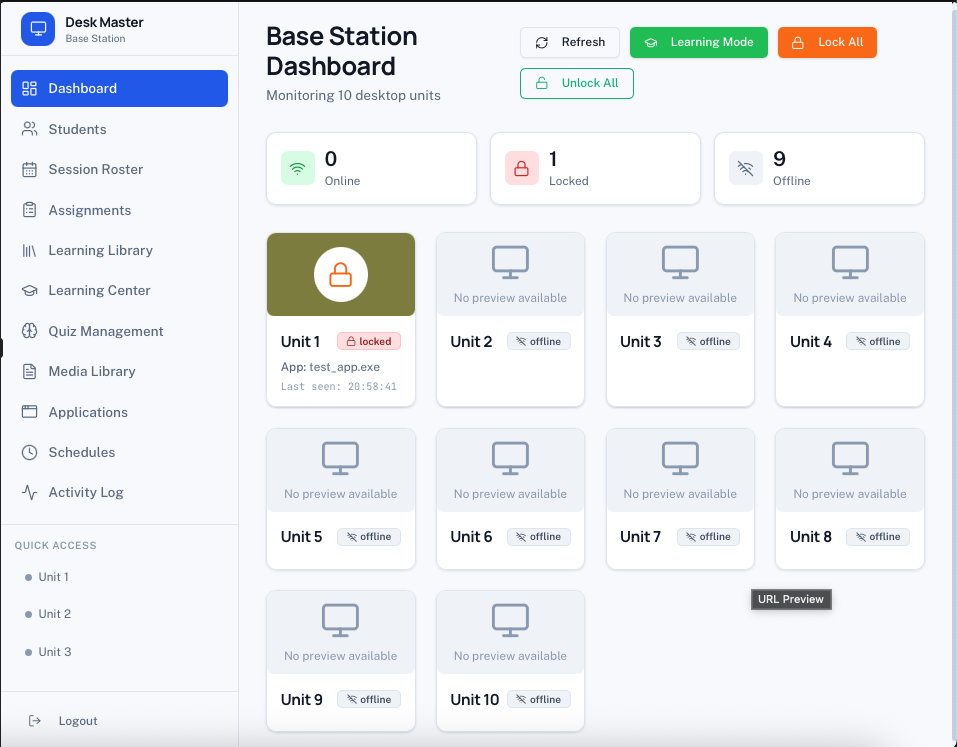
Base Station Dashboard
8 Online
1 Locked
1 Offline
Unit 1
Unit 2
Unit 3
Unit 4
Unit 5
Unit 6

Designed for Secure & Educational Environments

Schools
Classrooms
Hospitals
Secure Facilities
Computer Labs
Live Preview

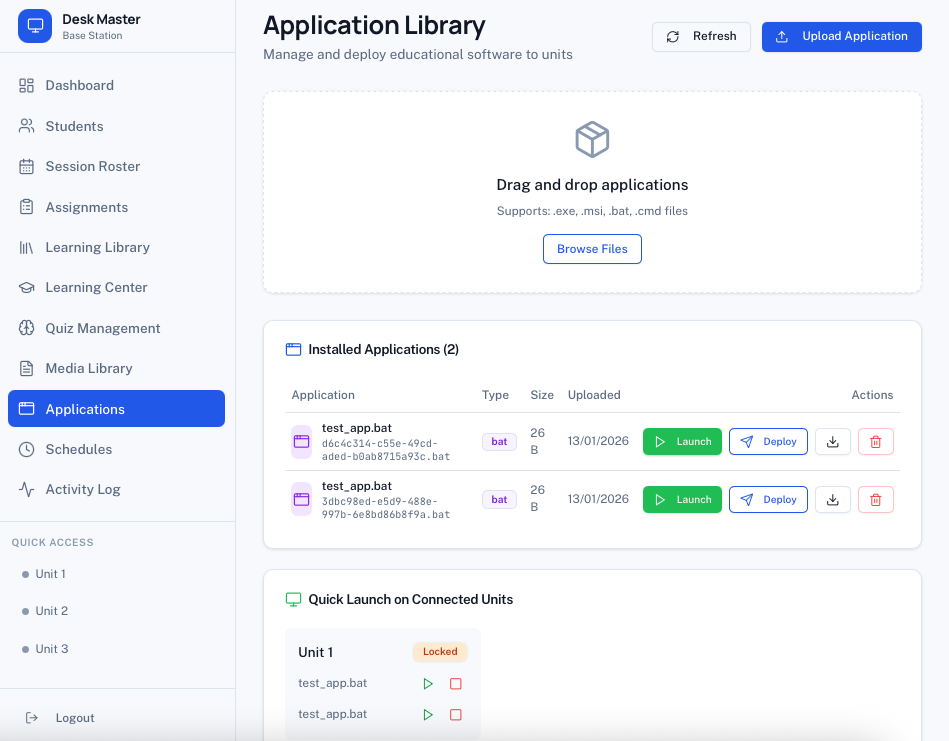
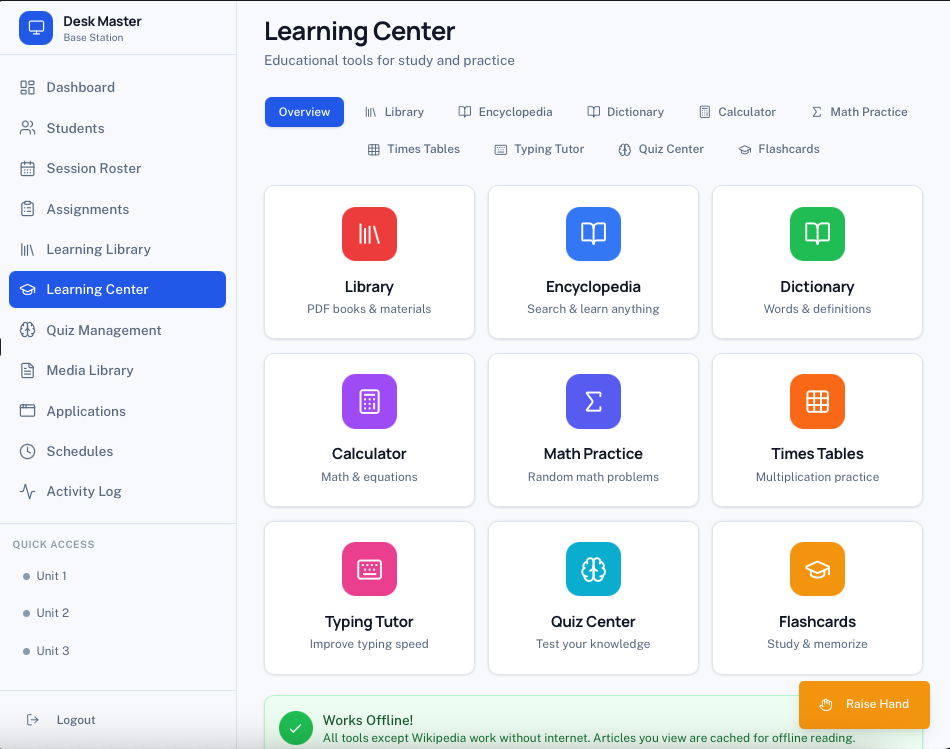
See Desk Master
In Action

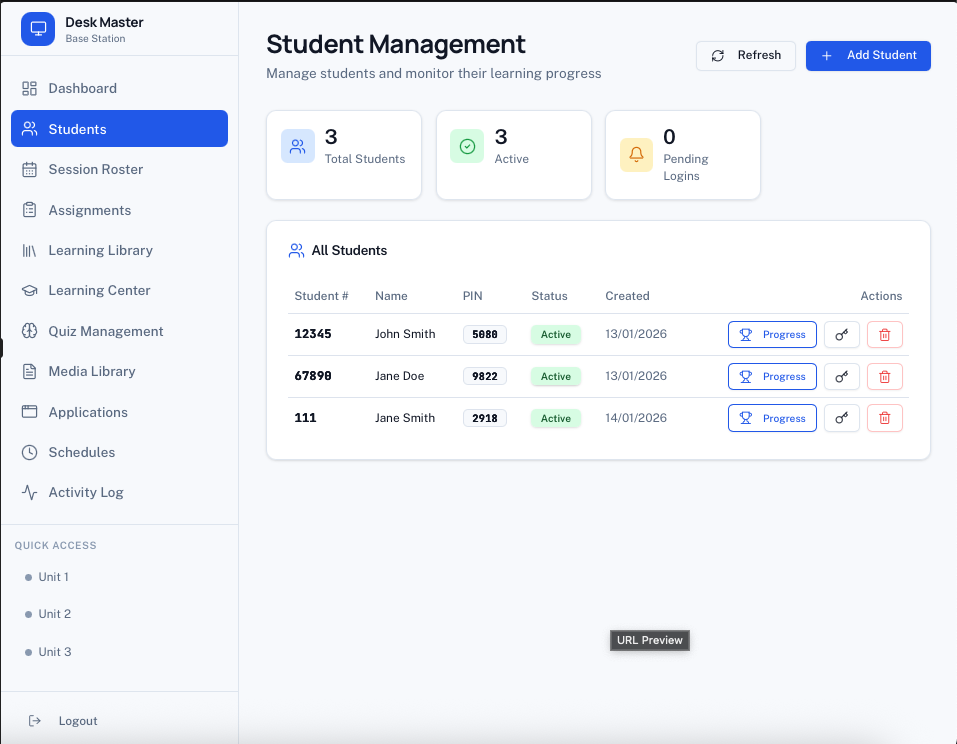
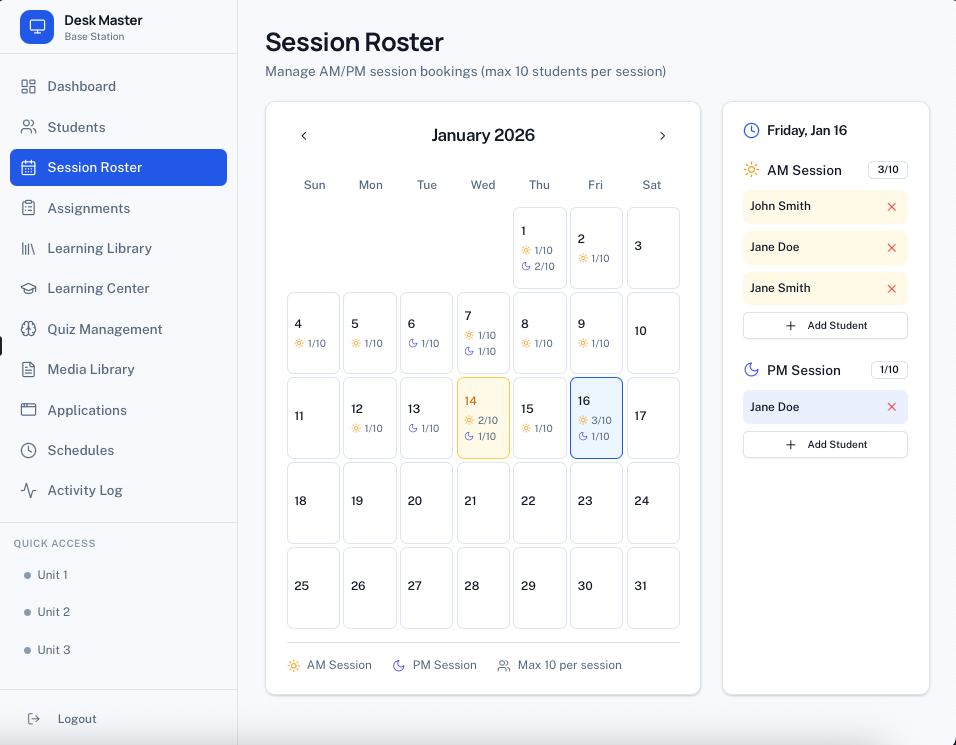
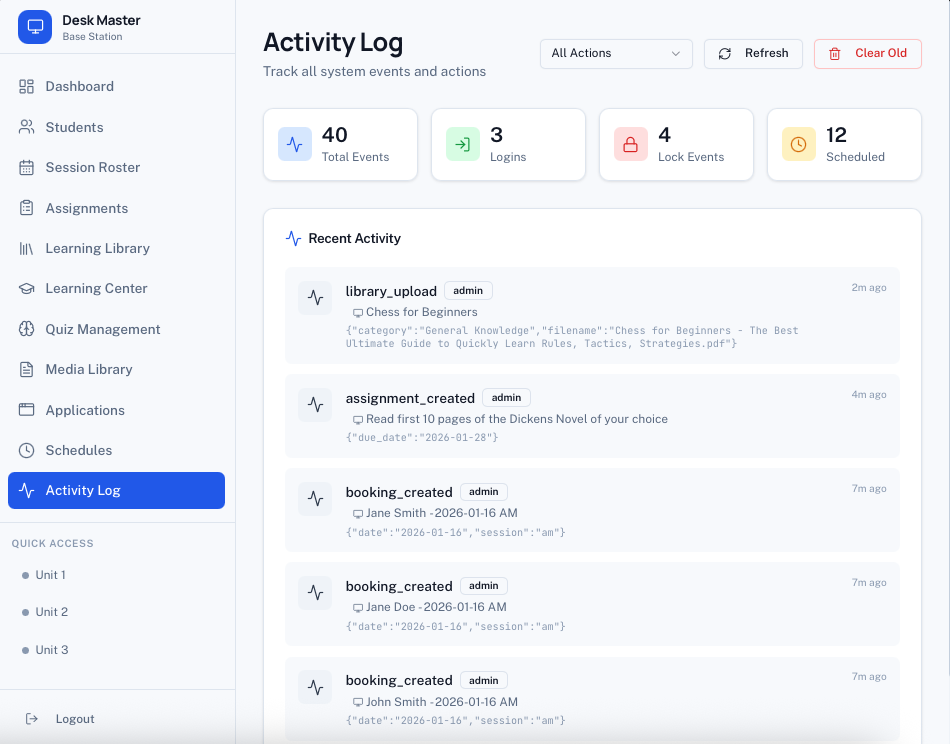
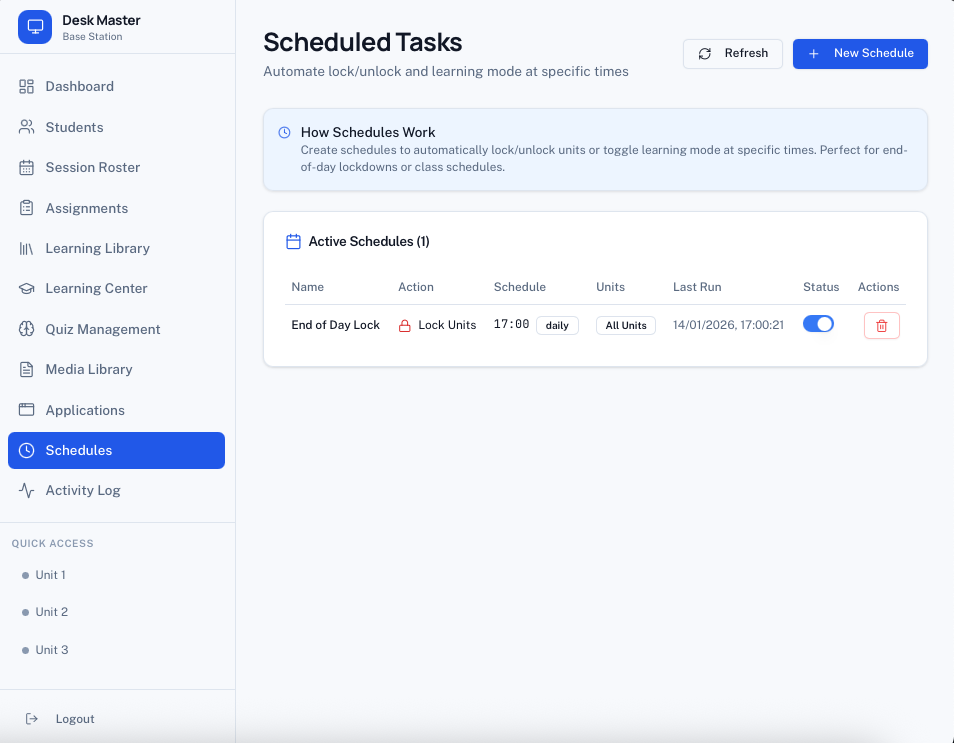
Real screenshots from our production application
Try Live Demo

Login: admin / admin123

Features

Everything You Need to
Manage & Educate

Powerful tools designed for educators and administrators

Live Screen Monitoring

See every screen in real-time. Watch students work, identify who needs help, and ensure everyone stays on task.

Instant Lock Control

Lock individual screens or all units at once. Get attention instantly when you need to address the class.

Hand Raise System

Students can request help with one click. Receive instant notifications with sound alerts on your dashboard.

Learning Library

Upload PDFs and educational materials. Students access resources directly from their units with built-in reader.

Learning Center

Built-in educational tools: Calculator, Quiz Center, Typing Tutor, Times Tables, Dictionary, and more.

Assignments

Create homework with due dates, attach resources, and track submission status for each student.

Session Roster

Calendar-based booking system with AM/PM sessions. Students can request time slots for approval.

Scheduled Tasks

Automate lock/unlock at specific times. Set daily or weekly schedules for hands-free management.

App Deployment

Upload and deploy software to any unit. Launch or close applications remotely with one click.

File Sharing

Send documents and images to selected units instantly. Share resources without USB drives or email.

Activity Logging

Complete audit trail of all actions. Track logins, lock events, and system usage for compliance.

Learning Mode

Restrict units to only use educational tools. Perfect for exam conditions or focused study time.

Solutions

Built for Your
Environment

Tailored solutions for different sectors

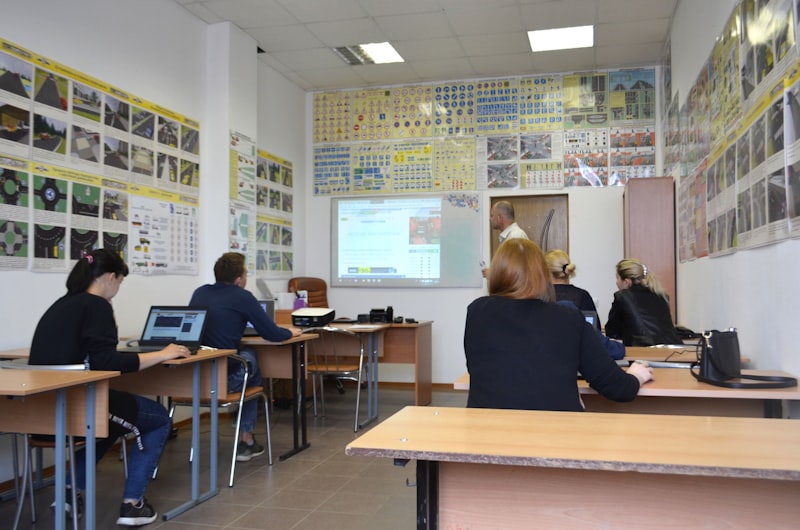
Classroom with students at computers

Schools & Classrooms

  • Monitor student screens during lessons
  • Share educational resources instantly
  • Built-in learning tools and quizzes
  • Track progress and submissions
  • Hand raise for student questions
Learn More
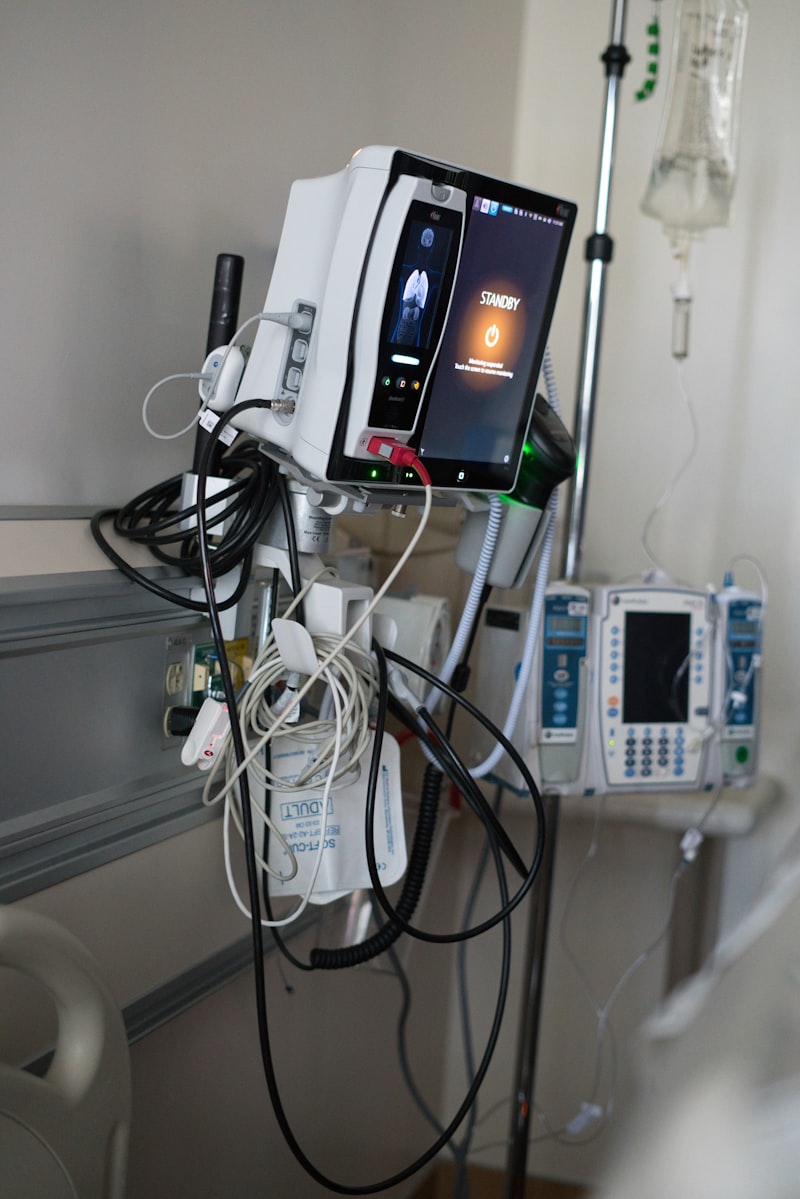
Hospital technology

Hospitals & Healthcare

  • Control patient entertainment systems
  • Share educational health content
  • Scheduled access during quiet hours
  • Activity logging for compliance
  • Remote management from nurse station
Learn More
Secure workstation

Secure Facilities

  • Complete oversight of all terminals
  • Restricted access to approved content
  • Full audit trail for accountability
  • Scheduled lockdowns
  • Educational programs for rehabilitation
Learn More
How It Works

Simple Setup,
Powerful Control

1

Install the Agent

Run a simple script on each computer you want to manage. Works on Windows and Mac.

2

Open Your Dashboard

Access your control panel from any browser. See all connected units instantly.

3

Take Control

Monitor screens, lock units, share files, and manage your environment with ease.

Pricing

Flexible Plans for
Every Organization

All packages include updated materials and full support from Desk Master

Fully Managed

We handle everything for you

  • Complete setup & installation
  • Ongoing maintenance & updates
  • 24/7 technical support
  • Regular content updates
  • Staff training included
  • Custom configuration

Subscription

Monthly or yearly plans

  • Self-service setup guides
  • Email support
  • Software updates included
  • Knowledge base access
  • Monthly or yearly billing
  • Cancel anytime

All packages include regular content updates and direct contact with the Desk Master team. Custom enterprise solutions available.

Specifications

Technical
Details

System Requirements

Base StationAny modern web browser
Desktop AgentWindows 10/11, macOS 10.14+
NetworkInternet connection (any speed)
Units SupportedUp to 10 per base station

Monitoring Features

Screenshot IntervalConfigurable (3-60 seconds)
Live ObservationReal-time with 2-3s refresh
Current App DetectionYes
Connection StatusOnline/Offline/Locked

Control Features

Lock/UnlockIndividual or all units
Learning ModeRestrict to educational tools
App Deployment.exe, .msi, .bat, .cmd
Scheduled TasksDaily, weekly, one-time

Educational Tools

Learning Center9 built-in tools
Quiz CategoriesMath, Science, History, etc.
PDF LibraryUnlimited uploads
Assignment TrackingFull submission workflow

User Management

Student LoginNumber + 4-digit PIN
Admin LoginUsername + Password
Session BookingAM/PM, max 10 per session
Hand RaiseWith sound notifications

Security & Compliance

Activity LoggingComplete audit trail
Data EncryptionHTTPS/WSS
Access ControlRole-based permissions
Log RetentionConfigurable
Contact Us

Ready to Take
Control?

Get in touch with our team to discuss your requirements and find the perfect plan for your organization.

Response Time Within 24 hours

All packages include:

  • Updated learning materials
  • Full support from Desk Master team
  • Regular software updates

Send us a message